A new era for Sakari users. More products. More power. More possibility. 

FORMS LEAD CAPTURE (COMING SOON)

Capture leads, start conversations

Embed high-converting forms onto your site in minutes. Capture the right data fast and get the conversation started.


Sakari-Forms-Lead-Gen

Customizable Forms: Your next customer starts here

Fuel your lead gen with one-step embedded forms on your website.
Capture leads and trigger real-time follow-up to boost conversion.

READY-MADE TEMPLATES

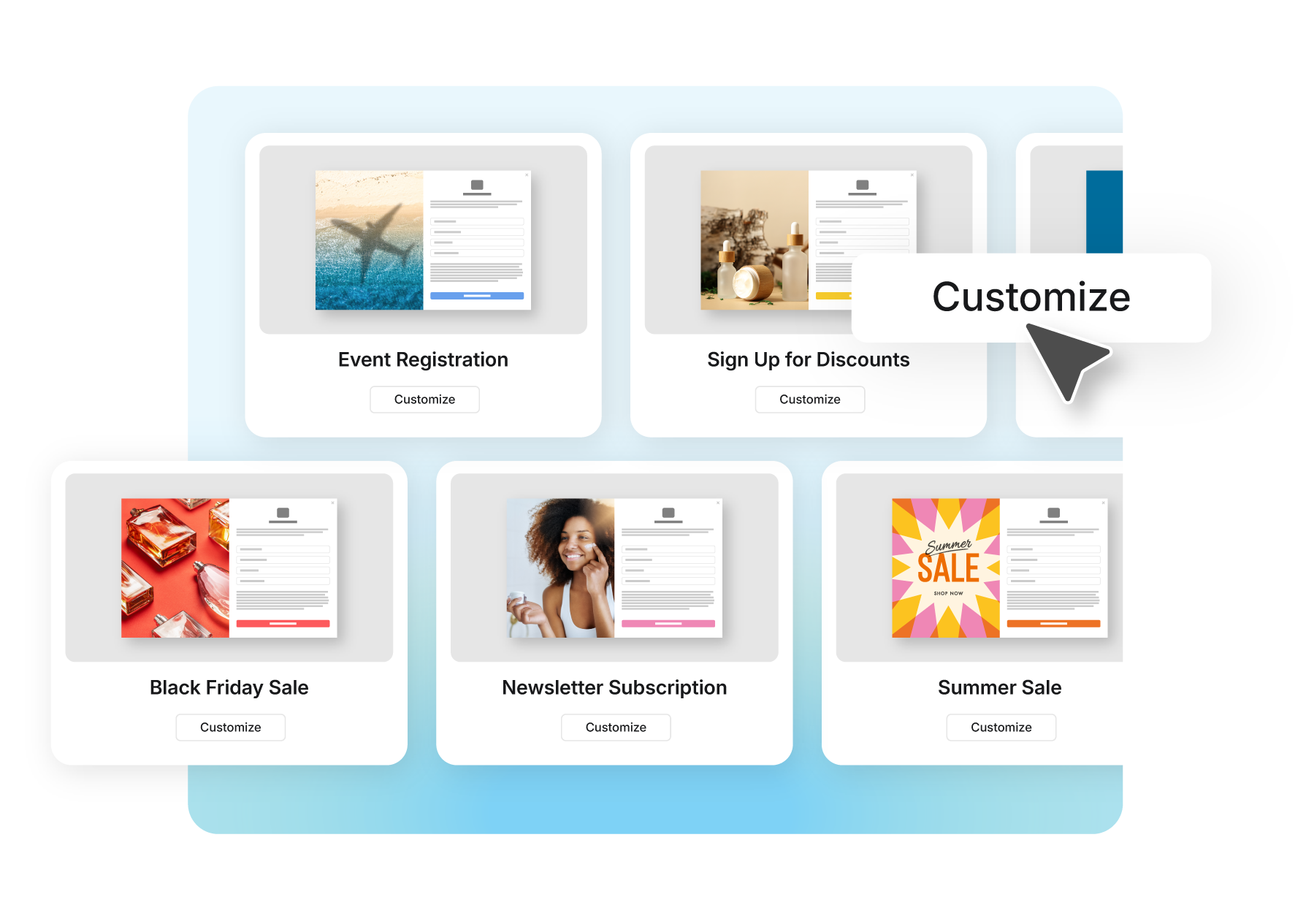
Choose a template, customize to match your goals and launch in minutes

Pick a pre-built proven template, and customize to match your brand in minutes. No complicated setup. Update, test, or swap forms anytime.
Try It Free
Sakari-Forms-Branded

SMART AUTOMATION

Trigger personalized outreach, instantly

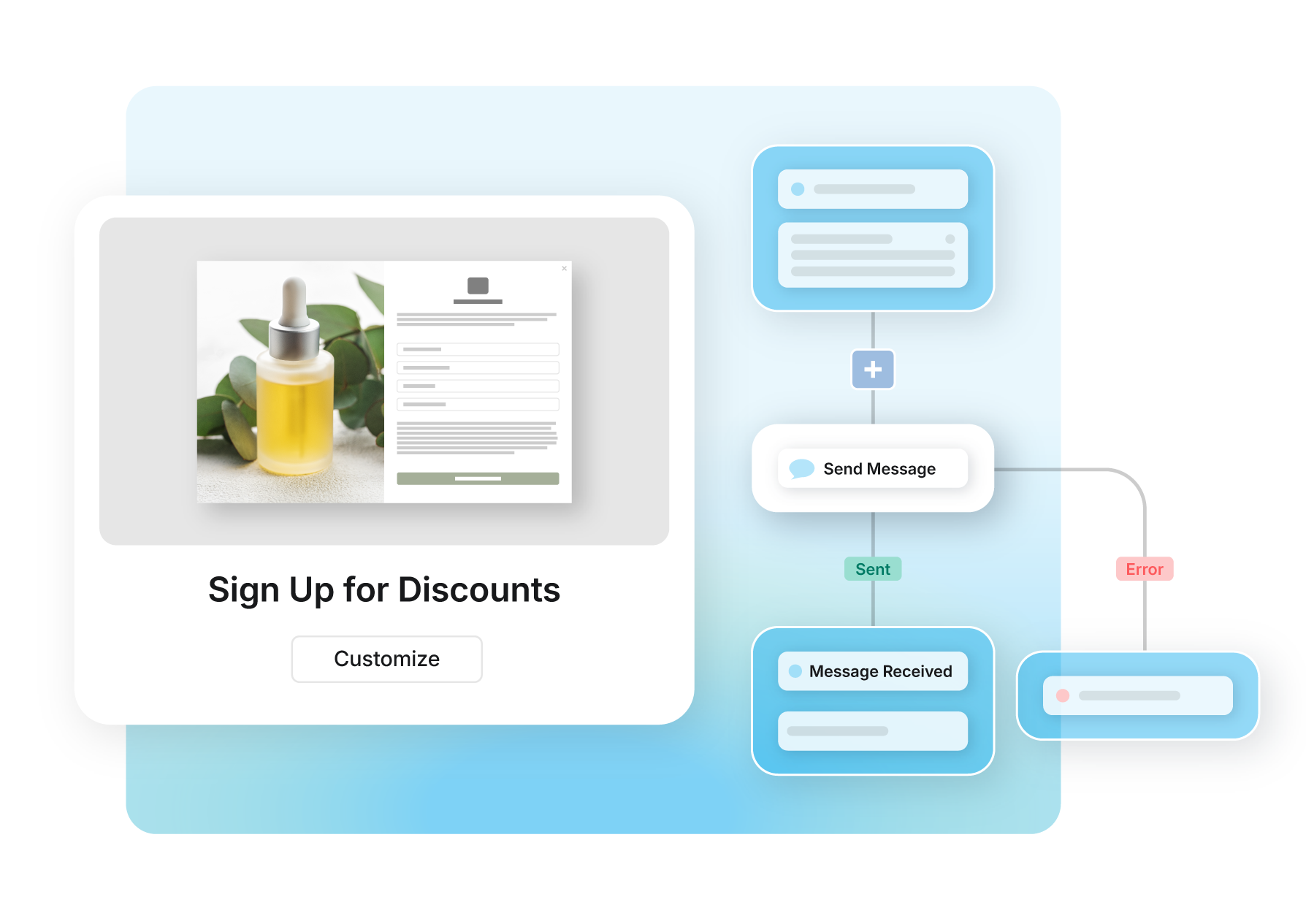
Connect your forms to workflows and send instant, personalized follow-ups. Reach leads while interest is high and build stronger connections.
Learn About Workflows
Sakari-Forms-Workflows-Automation

Do more with every Form

Forms_04-1

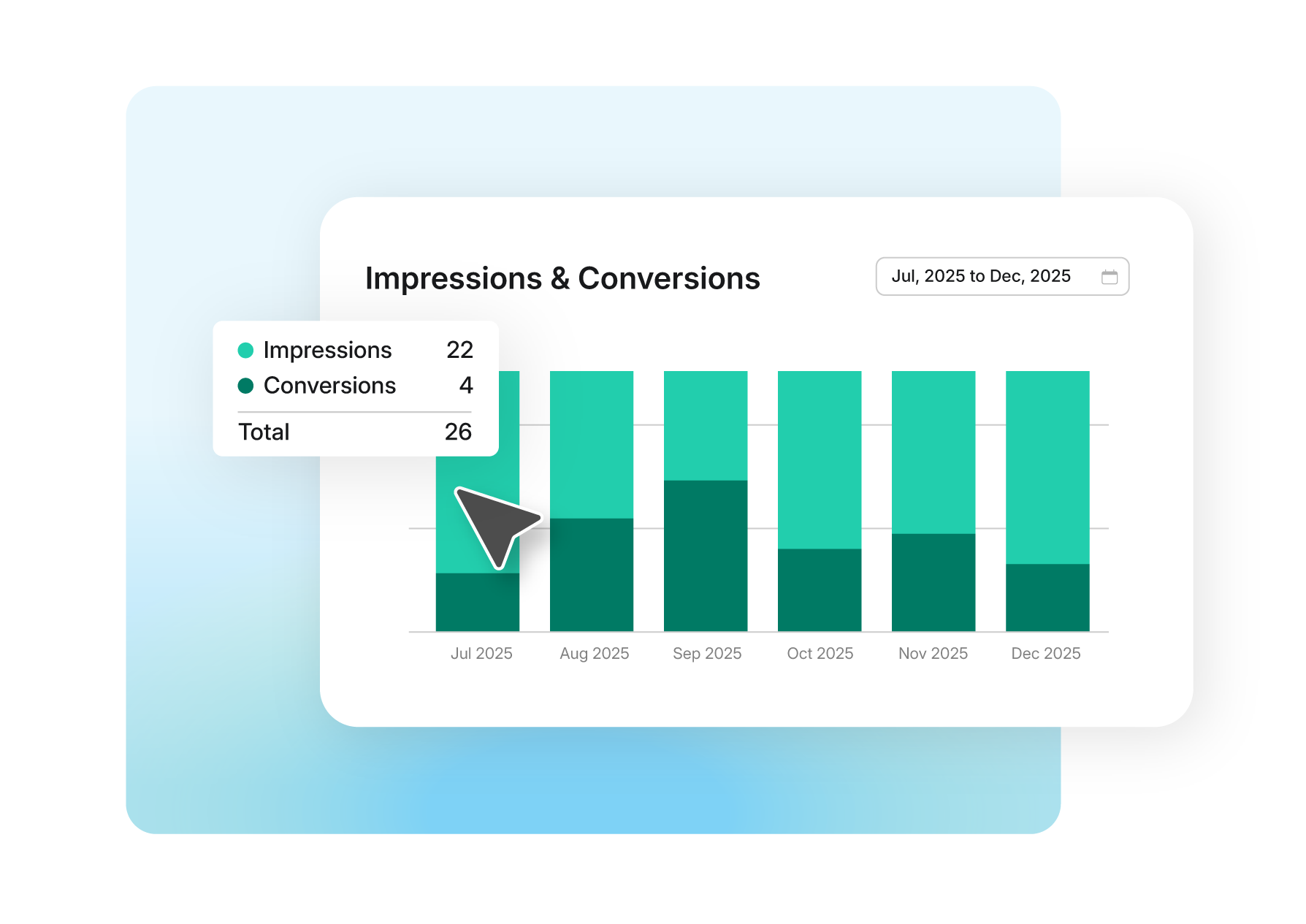
Track Forms Performance: Analytics on form submissions, conversion trends, and engagement over time to see what’s working and where to improve.

Learn More

Forms_05-1

Automatically send new leads where they need to go. Sync form submissions to your CRM, trigger Sakari workflows, or pass data to other tools in real time. No manual exports or delays.

Try it Free
Forms_06-1

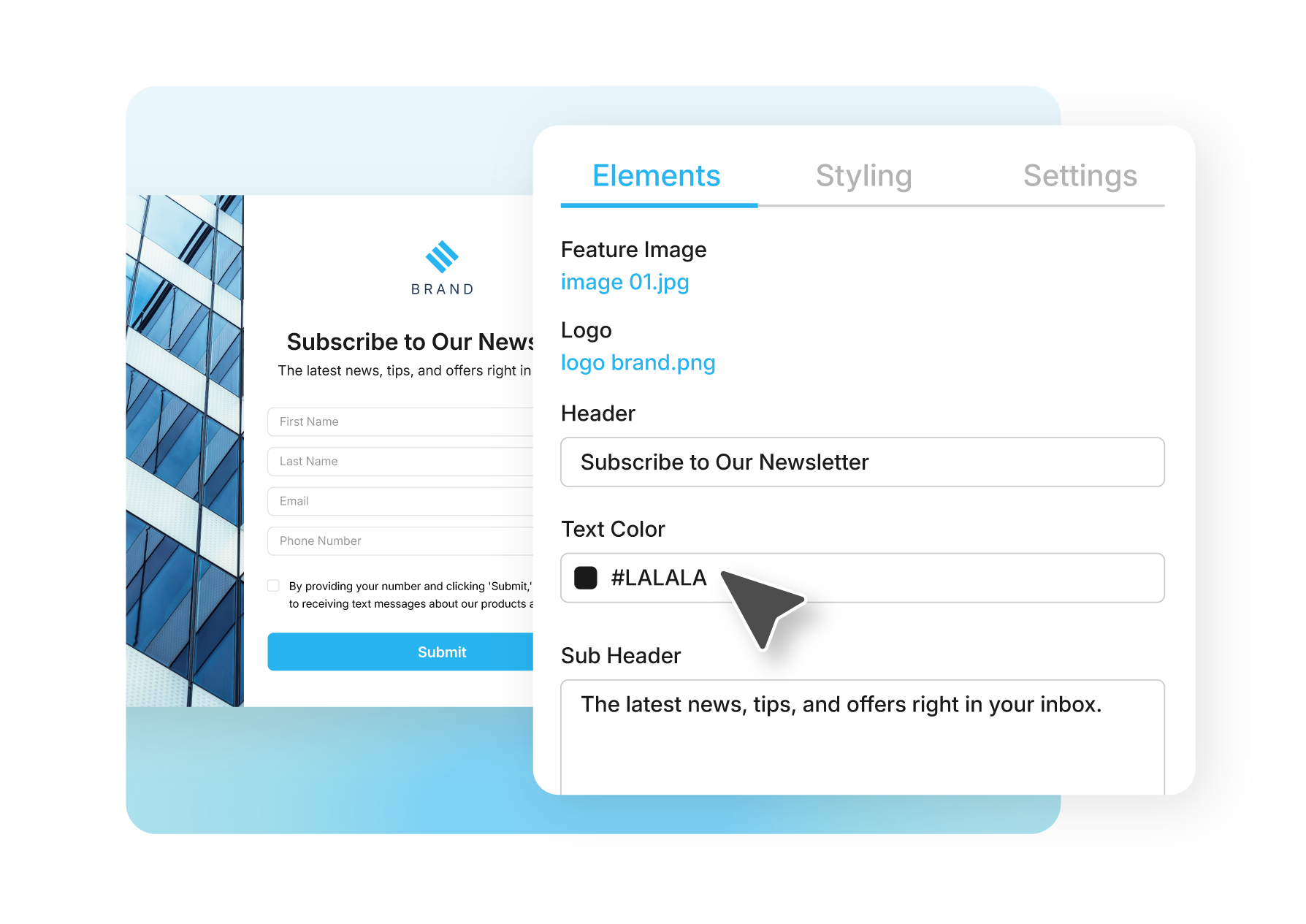
Make changes without slowing down your team. Update fields, copy, images, or offers in seconds. Test new variations, swap templates, and keep optimizing without developer help.

Try it Free

Turn Submissions into Conversations

arrow_split_100dp_28B4F0_FILL0_wght400_GRAD0_opsz48

Easy Automation

Use workflows to trigger messages instantly from every form submission.

Learn more

phone_enabled_100dp_28B4F0_FILL0_wght400_GRAD0_opsz48

Number Validation

Capture clean, accurate phone numbers every time.

Learn more

reply_100dp_28B4F0_FILL0_wght400_GRAD0_opsz48

Fast Auto Replies

Send instant confirmation messages to every new lead.

Learn more

ADMISSIONS & ENGAGEMENT

From low engagement to high response rates

67%

SMS response rate

51%

Less learner loss

“It’s much easier to look at a text and just say yes or no. That simple shift made a huge difference in getting people to respond.”

Noel

Recruitment & Admissions, Per Scholas

Read Their Story

Built for seamless connection

Connect your tech stack with native integrations and flexible API access. Quickly scale communications globally, reduce friction and accelerate every customer’s journey.

Learn More

materials
Hexagon

Engage, automate
and grow.

Start conversations that scale today.

Email capture tools

Frequently Asked Questions

Lead capture forms collect contact information from website visitors and automatically trigger follow-up actions like SMS messages, email sequences, or CRM updates. Instead of manually reaching out to each new lead, forms instantly start conversations while interest is highest.

Sakari's lead capture forms embed directly on your website using a simple code snippet. When someone submits their information, you can immediately send a welcome text message, add them to an automated workflow, or create a contact record in your CRM without manual data entry.

Forms collect whatever information you need through customizable fields like name, phone number, email, company, or custom questions specific to your business. Each submission triggers actions you define, whether that's sending an instant SMS response, routing leads to your sales team, or starting a multi-step nurture sequence.

Yes, lead capture forms can trigger instant SMS messages the moment someone submits their information. This immediate response keeps leads engaged while they're actively interested rather than waiting hours for manual follow-up.

When you connect forms to Sakari workflows, submissions automatically trigger personalized text messages based on the information provided. For example, someone requesting a quote receives a different SMS than someone downloading a resource guide, with messaging tailored to their specific interest.

The automated SMS can include confirmation details, next steps, scheduling links, or personalized offers based on form responses. You can send a single welcome message or trigger multi-step sequences that continue the conversation over time through workflow automation.

This works across channels as well. The same form submission can trigger both SMS and email follow-ups, with timing and channel selection based on customer preference or your communication strategy. All follow-up activity happens automatically without team members manually processing each submission.

Adding lead capture forms to your website requires no coding or developer resources. Sakari provides an embed code that works on any website platform including WordPress, Squarespace, Wix, custom sites, or landing page builders.

Choose or create your form: Start with pre-built templates for common use cases like contact requests, quote requests, event signups, or newsletter subscriptions. Customize fields, styling, and submission behavior to match your needs.

Customize the design: Match your form to your brand with custom colors, fonts, button styles, and field layouts. Forms adapt to mobile devices automatically without additional configuration.

Copy the embed code: Sakari generates a simple embed code snippet when your form is ready. Copy this code into your website where you want the form to appear.

Paste on your site: Add the embed code to your website page just like you would add any other content element. Most website builders have an HTML or embed block where you paste the code without touching other site code.

Forms appear instantly on your live website once the code is added. You can test submissions, update form fields, or modify follow-up actions anytime without changing the embed code or republishing your website.

Lead capture forms should collect only the information you'll actually use for follow-up and qualification. Each additional field reduces form completion rates, so balance data needs against conversion optimization.

Essential fields for SMS follow-up: Phone number (required for text messaging), name (for personalization), and consent checkbox (for TCPA compliance). These three fields enable immediate SMS conversations while maintaining legal compliance.

Compliant consent collection: The consent checkbox must include explicit opt-in language stating customers agree to receive text messages from your business. This written consent is legally required under TCPA and provides critical documentation for 10DLC/A2P registration with carriers. Proper consent language protects your business from compliance violations and ensures reliable message delivery through carrier-approved channels. Learn more about SMS marketing compliance and 10DLC requirements.

Qualification fields: Add questions that help route or personalize follow-up based on lead intent. Common examples include service interest, budget range, timeline, company size, or specific needs. This information triggers appropriate workflows rather than sending identical messages to everyone.

Balance conversion vs. qualification: Shorter forms typically generate more submissions but less qualified leads. Longer forms pre-qualify but reduce volume. Test different field combinations to find the optimal balance for your specific business and follow-up process.

Custom fields for your business: Sakari forms support any custom fields specific to your industry or qualification process. Home service businesses might collect property type and issue description, while B2B companies might ask about company size and current solutions.

Form data flows automatically to your CRM and powers personalization in follow-up messages. You can reference submitted information in SMS templates, workflow branching logic, and contact segmentation without manual data entry.

No, Sakari's lead capture forms are built for marketing teams to create, customize, and launch without developer assistance. The visual form builder uses drag-and-drop functionality with no coding required.

Pre-built templates provide starting points for common scenarios including contact forms, quote requests, event registrations, resource downloads, and newsletter signups. Select a template, customize fields and styling, then embed on your website in minutes rather than hours or days with custom development.

The embed process works like adding any other content to your website. Copy the provided code snippet and paste it into your site's HTML or embed block. No special technical knowledge or access to backend code required.

Lead capture forms create contacts in Sakari automatically when submitted, then sync contact data to connected CRM platforms to maintain unified customer records across systems.

Automatic contact creation in Sakari: Each form submission creates a new contact record in Sakari or updates an existing contact with new information. This contact record includes all form data and becomes immediately available for SMS messaging and workflow automation.

HubSpot integration: Native HubSpot connection syncs four core contact fields from Sakari to HubSpot automatically: first name, last name, email, and phone number. When someone submits a form, these fields populate in HubSpot contact records without manual data entry.

Single-direction sync: Contact information flows from Sakari to your CRM when forms are submitted or contacts are created. This ensures your CRM maintains up-to-date records of leads captured through Sakari forms.

Trigger CRM workflows: Form submissions in Sakari can trigger existing HubSpot automation including lead scoring, task assignment, deal creation, or email sequences. This combines SMS follow-up through Sakari with your established CRM processes.

Extended integrations via Zapier: For custom field mapping beyond the four core fields, or for connecting to Salesforce, Pipedrive, ActiveCampaign, and other CRM platforms, use Zapier integration. Zapier enables flexible field mapping and connections to thousands of business tools beyond native integrations.

Setup takes minutes through authentication rather than custom API development. Once connected, all form submissions automatically flow to your CRM alongside SMS conversation history and workflow engagement, maintaining complete customer communication records in both platforms.

Form submissions trigger instant responses through automated SMS messages and workflows, typically delivering follow-up within seconds rather than minutes or hours required for manual processing.

Immediate automated response: Configure forms to send welcome messages, confirmation texts, or next-step instructions automatically when submitted. Leads receive acknowledgment instantly while they're still on your website rather than wondering if their submission went through.

Speed advantage over manual follow-up: Manual lead response typically takes 5-60 minutes depending on team availability and lead volume. Automated form follow-ups eliminate this delay, connecting with leads while interest and context are fresh.

Workflow-based sequences: Beyond immediate confirmation, forms trigger multi-step sequences that continue the conversation over time. Send an instant welcome text, wait for reply, then branch to different paths based on their response or behavior.

Team notification for high-priority leads: While automation handles instant response, forms can simultaneously alert team members about high-value submissions requiring personal attention. This combines automated speed with human follow-up for leads that warrant it.

The combination of instant automated response plus optional team notification ensures no lead waits while maintaining personal attention for opportunities requiring it. This balanced approach converts more leads than purely automated or purely manual processes.

Yes, Sakari's lead capture forms include built-in TCPA compliance features that help businesses obtain proper consent before sending marketing text messages.

Required consent language: Forms include customizable consent checkboxes with legally appropriate language explaining what customers agree to by providing their phone number. This documented consent is required under TCPA regulations for marketing messages.

Opt-in record keeping: Sakari automatically stores consent records including submission timestamp, IP address, and consent language shown at opt-in time. These records demonstrate compliance if consent is ever questioned.

Clear disclosure requirements: Forms display required disclosures about message frequency, data rates, and how to opt out (STOP, HELP keywords). This transparency meets regulatory requirements while setting appropriate customer expectations.

Automatic opt-out handling: Customers who reply STOP to messages are automatically removed from future campaigns and added to suppression lists. This required opt-out mechanism is built into the platform without manual management.

While Sakari provides compliance tools, businesses remain responsible for using them appropriately. This includes using proper consent language, honoring opt-outs immediately, and only sending messages to customers who have explicitly agreed to receive them. The platform facilitates compliance but doesn't replace legal counsel for specific regulatory questions about your particular use case.